Someone asked me the other day how I put together my videos. I never even thought that I might know something that some marketers might be interested in knowing. I am going to try and cover the steps needed to put together a free and professional looking video that you can share on Youtube or wherever you may want to use it.
The first thing you will need to do is get Googles Picasa - it is a free photo program that works well with any type of picture not just photos.
Download it at
http://picasa.google.com/intl/en/
You can easily load photographs from your camera to Picasa or import saved files to view. My favorite part of acquiring photos from my camera is Picasa gives you the option to erase from your camera all the photos you are putting on you computer. This saves me time having to delete photos from my camera. There is an area where you can make collages which is one of the things I do for parts of my photo videos. You can make a mosaic, a picture pile, a framed mosaic, a grid or a contact sheet, so your options are pretty good.
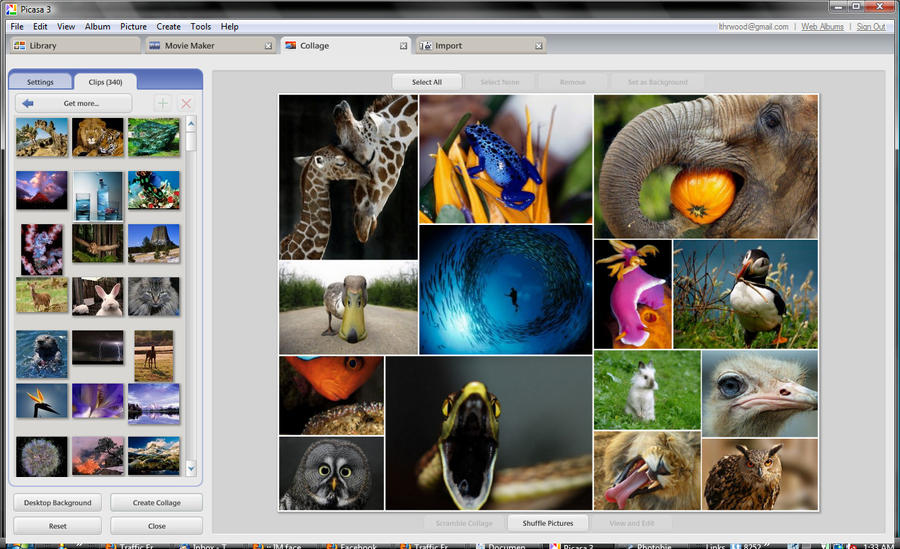
Below is a photo that shows all of the options I just mentioned.
The first option is mosaic which can be a lot of fun for you to work with and give you different ways to put your photos together. If you have a bunch of photos or images you would like to show on one frame of your video this is a great way to set them up. You will get the option of putting a grid between the photos and you can pick the color and the size you want the grid to be. When you have your pics in the grid they are easy to remove and replace and you have a shuffle button. This allows you to choose where you want the photos to display. I just figured this out about the shuffle - the program picks a layout and each time you hit shuffle it move the photos to a different space. Once all your photos have been shown in different areas the computer gives you a new grid.
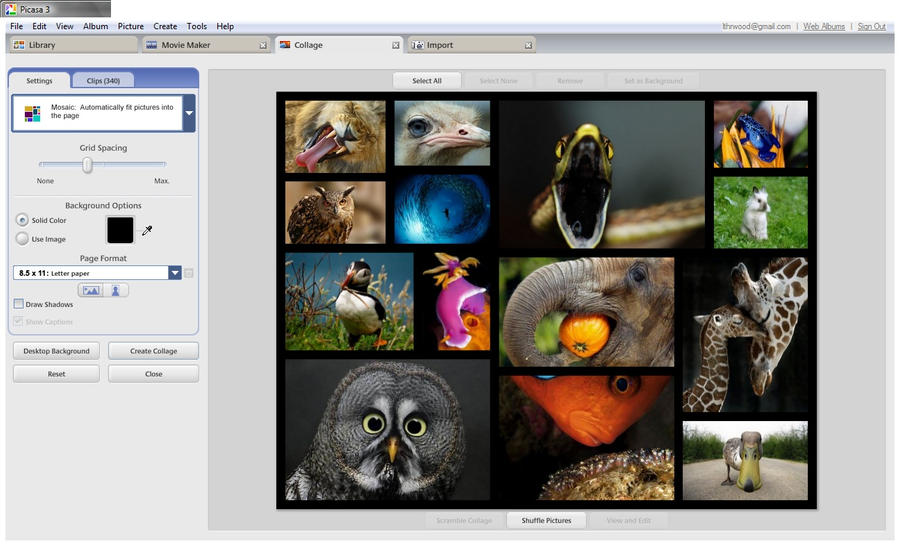
The image below is with the same photos as the first one. The grid is black and wider and the photos have been shuffled.
I will discuss the other parts of the collage maker next in our adventure on how to make or set up free videos.
Youtube done with Picasa
http://www.youtube.com/user/lthrwood
--
Never Buy Groceries Again!
http://www.mpbtoday.com/marisa
Marisa Horn
1 570 889 3113 PST
lthrwood@gmail.com


.preview.jpg)
.preview.jpg)